 Inviteroll
Online Invitation Maker with RSVP: The Complete 2026 Guide
How modern digital invitations work, what to look for in a maker, and how to collect RSVPs effortlessly
Updated November 4, 2026 · 4 min read

Short answer: an online invitation maker is a tool that creates responsive, interactive web pages for events like weddings, birthdays, dinners, and baby showers. Guests open the invitation via a link on WhatsApp, iMessage, or email, view animated covers and location maps, and submit their RSVP with one tap without downloading an app or creating an account.
Static PDF cards and old-fashioned email attachments are no longer enough. Modern event hosts need instant headcounts, calendar buttons, dietary notes, and shared guest photo albums. This guide covers how to choose an online invitation maker, what features ensure fast guest replies, and how to design your first event in minutes.
How modern digital invitations work
In the past, an 'electronic invitation' meant emailing a graphic image or a static PDF. Guests had to squint at their screens, reply via separate text messages, and hosts spent hours compiling headcount numbers in manual spreadsheets.
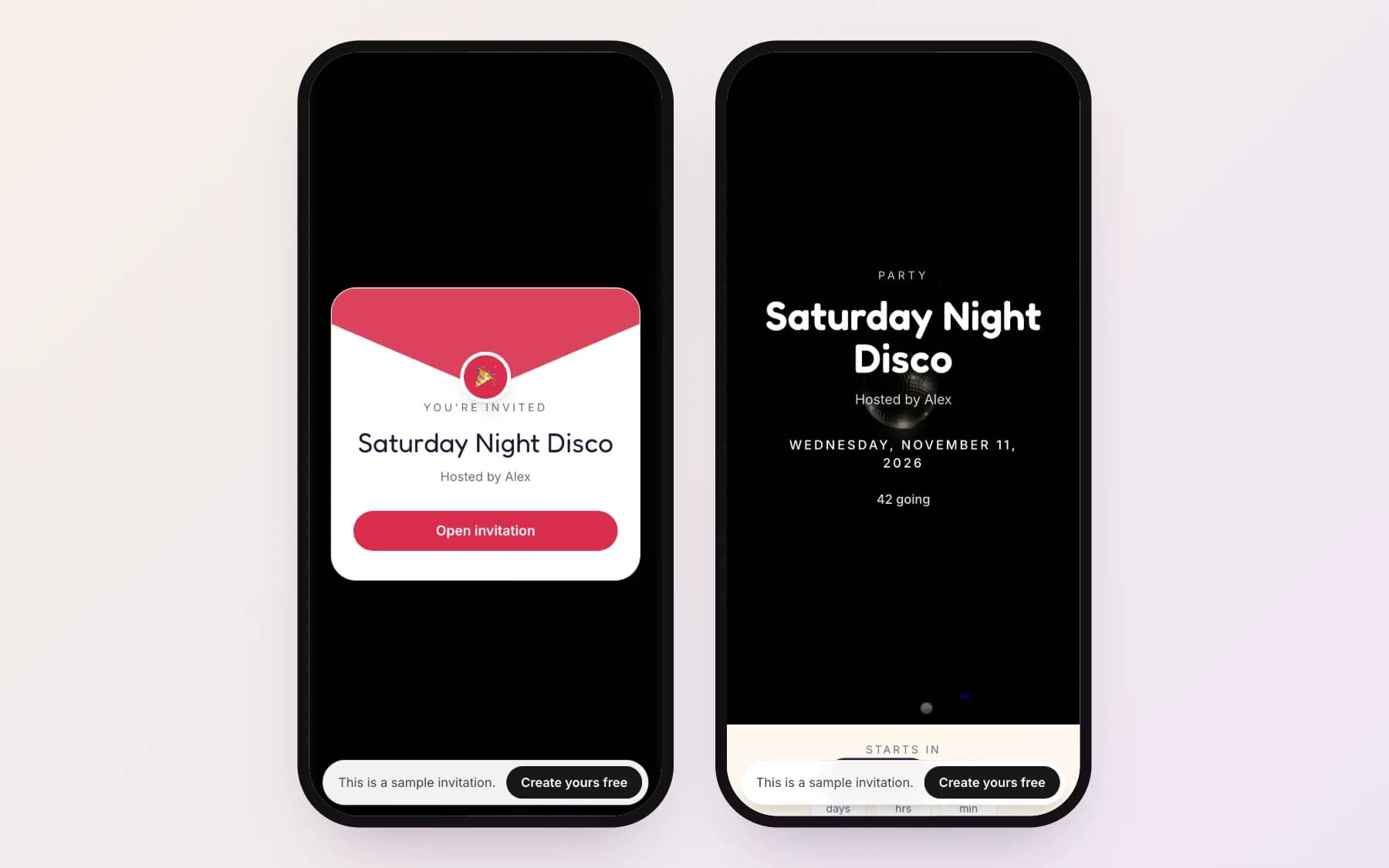
Today, a modern online invitation maker generates a purpose-built web page. When guests tap your link, they experience a personalized envelope opening animation, a looping cinematic video cover, customized background music, and an embedded interactive RSVP form that logs responses in real time.
Must-have features in an online invitation maker
Not all invitation makers are created equal. When evaluating platforms for your upcoming celebration, look for features that remove friction for your guests:
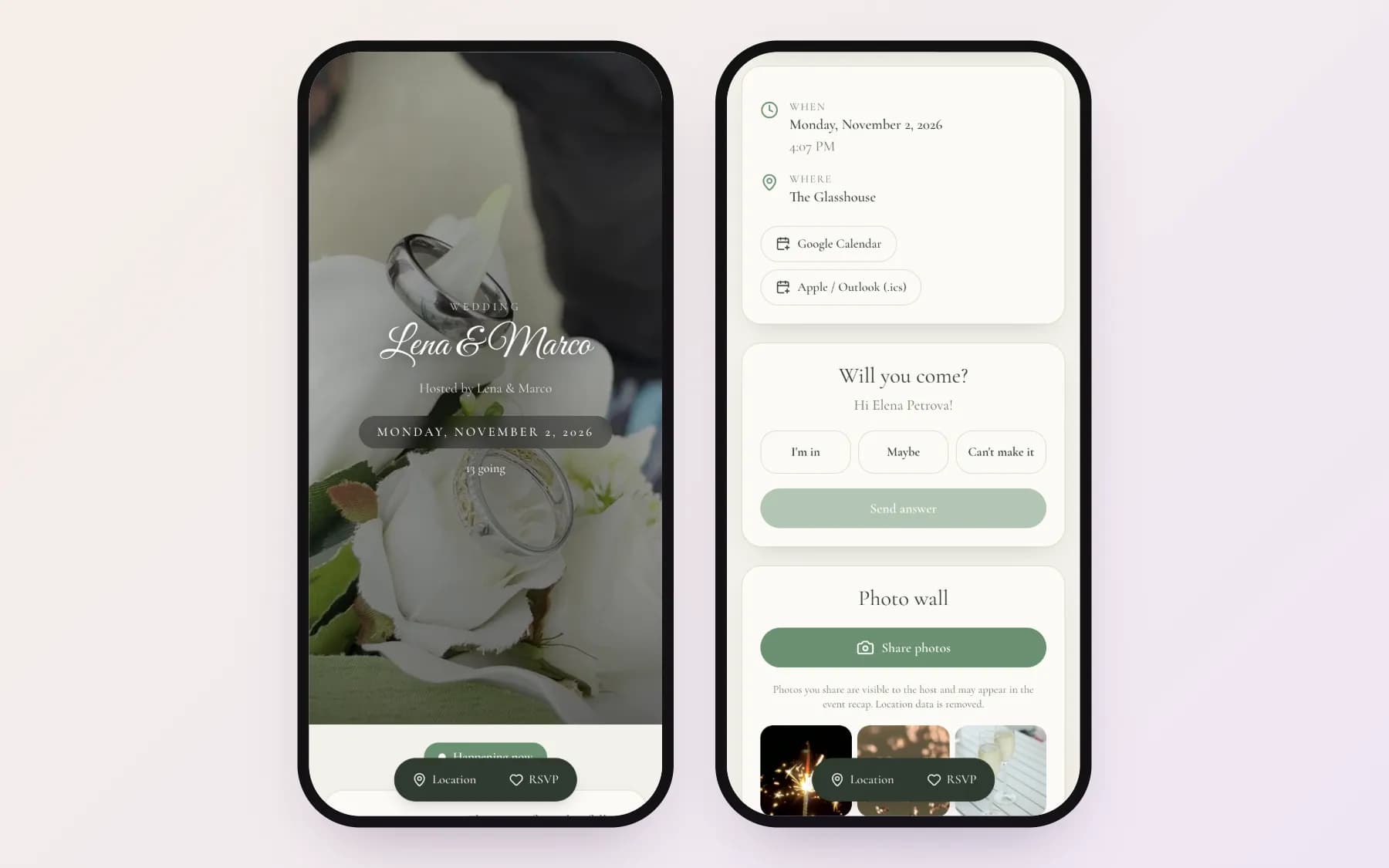
- **Zero-friction RSVP:** Guests should be able to reply (Going, Maybe, Not going) directly in their mobile browser without creating a password or downloading an app.
- **Multi-app map navigation:** One-tap directions to Google Maps, Apple Maps, or Waze so out-of-town guests navigate effortlessly.
- **Direct calendar buttons:** Automatic event sync for Apple Calendar, Google Calendar, and Outlook.
- **Dietary and plus-one tracking:** Dedicated fields for meal preferences, food allergies, and exact headcount counts.
- **Live guest photo wall:** A collaborative space where guests upload high-resolution photos during and after the party.
Paper vs. static e-cards vs. interactive web invitations
Printed stationery carries sentimental value, but printing and postage costs add up quickly. Worse, paper invitations cannot adapt if a start time changes or weather forces an outdoor gathering indoors.
Interactive web invitations combine the visual sophistication of fine stationery with the dynamic flexibility of the web: you can update venue directions, track real-time headcounts, and export guest lists instantly.
Mastering RSVP tracking without awkward follow-ups
Chasing unconfirmed guests is one of the most frustrating aspects of hosting. With Inviteroll, each guest receives a unique personal link. When your guest taps their link, the page greets them by name and presents their specific invitation details.
Your host dashboard tracks views, confirmed attendees, declined invitations, and unread links in real time. You can send polite WhatsApp reminders only to those who have not yet replied, without spamming your entire group.
Shared guest photo walls and recap stories
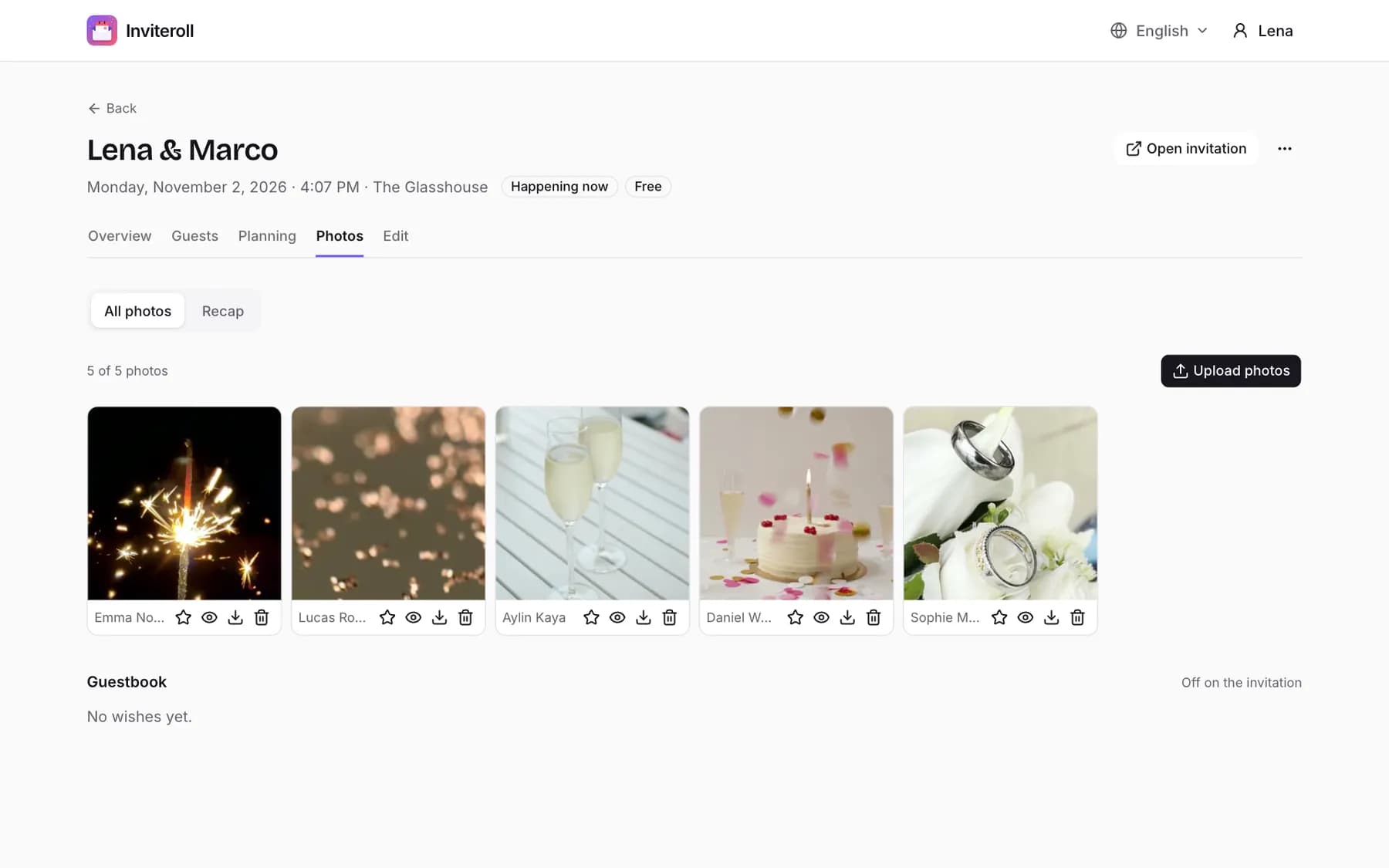
After the event ends, collecting guest photos across multiple group chats is exhausting. Inviteroll turns your invitation into a collaborative photo wall that opens right as the celebration begins.
Guests simply scan a table QR code or tap the photo section on their invitation link to upload candid shots from their camera roll. Location metadata is automatically stripped for privacy, and hosts can turn the best moments into a 1080×1920 Instagram Story recap.
Etiquette for sending invitations on WhatsApp and SMS
When sharing digital invitation links on messaging platforms, always accompany the link with a brief, warm personal note. A lone URL can look like spam, but a one-line greeting ensures your friends tap with confidence.
You can explore ready-made messages in our guide to WhatsApp invitation messages and see how to word specific celebrations in our wedding invitation wording and birthday invitation wording guides.
| Feature | Paper Invitations | Static E-Cards (Image/PDF) | Inviteroll Web Invitations |
|---|---|---|---|
| Delivery Speed | Days to weeks (mail) | Instant | Instant (WhatsApp/SMS/Link) |
| RSVP Collection | Manual return cards | Separate messages | Automated real-time dashboard |
| Guest App / Account | None | None | None (browser-based) |
| Live Updates | Impossible once printed | Requires resending | Instant real-time updates |
| Interactive Map & Calendar | None | None | 1-tap Apple/Google Maps & Calendar |
| Guest Photo Wall | None | None | Built-in shared photo wall |
How to create an online invitation with Inviteroll
- 1
Choose your event type
Select from over 19 event types including weddings, birthdays, dinner parties, and baby showers.
- 2
Customize design and music
Pick a looping video cover, select background music, and choose an envelope liner style.
- 3
Add event details and map
Enter your date, venue name, address, and interactive navigation links.
- 4
Configure RSVP settings
Enable personal guest links, set headcount limits, and allow dietary notes.
- 5
Send via WhatsApp or link
Share personal invitation links with one tap and monitor responses live on your dashboard.
Design your interactive online invitation in minutes
Create a modern event invitation with video covers, instant RSVP and photo sharing for free.
Create your invitationFrequently asked questions
Do guests need to install an app or create an account to RSVP?
No. Guests open the invitation directly in their mobile browser, submit their response in seconds, and never need to download an application or sign up.
Can I try Inviteroll for free?
Yes! Inviteroll includes a free plan allowing you to host an event with up to 10 guests and 3 shared photos with no time limits.
Can I update the event details after sending the invitation?
Yes. Any changes to the date, time, venue address, or dress code update automatically on your guests' screens without needing to resend the link.
How do personal invitation links work?
Inviteroll creates an individual URL for each guest on your list. When opened, the page addresses the guest by name, accurately tracking their specific RSVP and headcount.
Are guest photos private and secure?
Yes. The photo wall is accessible only to people with your event link, all GPS location metadata is permanently stripped upon upload, and hosts have full moderation controls.