 Inviteroll
How to Make a Digital Wedding Invitation With RSVP (Step by Step)
What to put on it, how guests reply, how to send it and how to keep track of every answer
Updated November 2, 2026 · 6 min read

Short answer: a digital wedding invitation is a web page you send as a link. You choose a design, add the names, date, venue and a short message, then send each guest their own link by WhatsApp, text or email. Guests open it in their browser, tap Going, Maybe or Not going, add how many people are coming, and the answer lands on your guest list automatically. Nobody needs an app or an account.
This guide walks through what a good digital invitation contains, how RSVP collection works, how to send invitations without them looking like spam, and the mistakes that cause most missing replies. The examples use Inviteroll — you can open a sample wedding invitation to see one — but the checklist applies to any tool.
Digital vs. printed wedding invitations
Printed invitations are lovely to hold, but they cost money per piece, take weeks to print and post, and give you no way to know who has read them. A digital invitation arrives in seconds, can be changed after it is sent (a new venue address, a later start time), and turns replies into a live list instead of a pile of reply cards.
Many couples now do both: a small print run for grandparents and close family, and digital invitations for everyone else. If you go fully digital, the invitation still deserves the same care as paper — a beautiful design, the full names, and wording that sounds like you. Our wedding invitation wording examples help with that part.
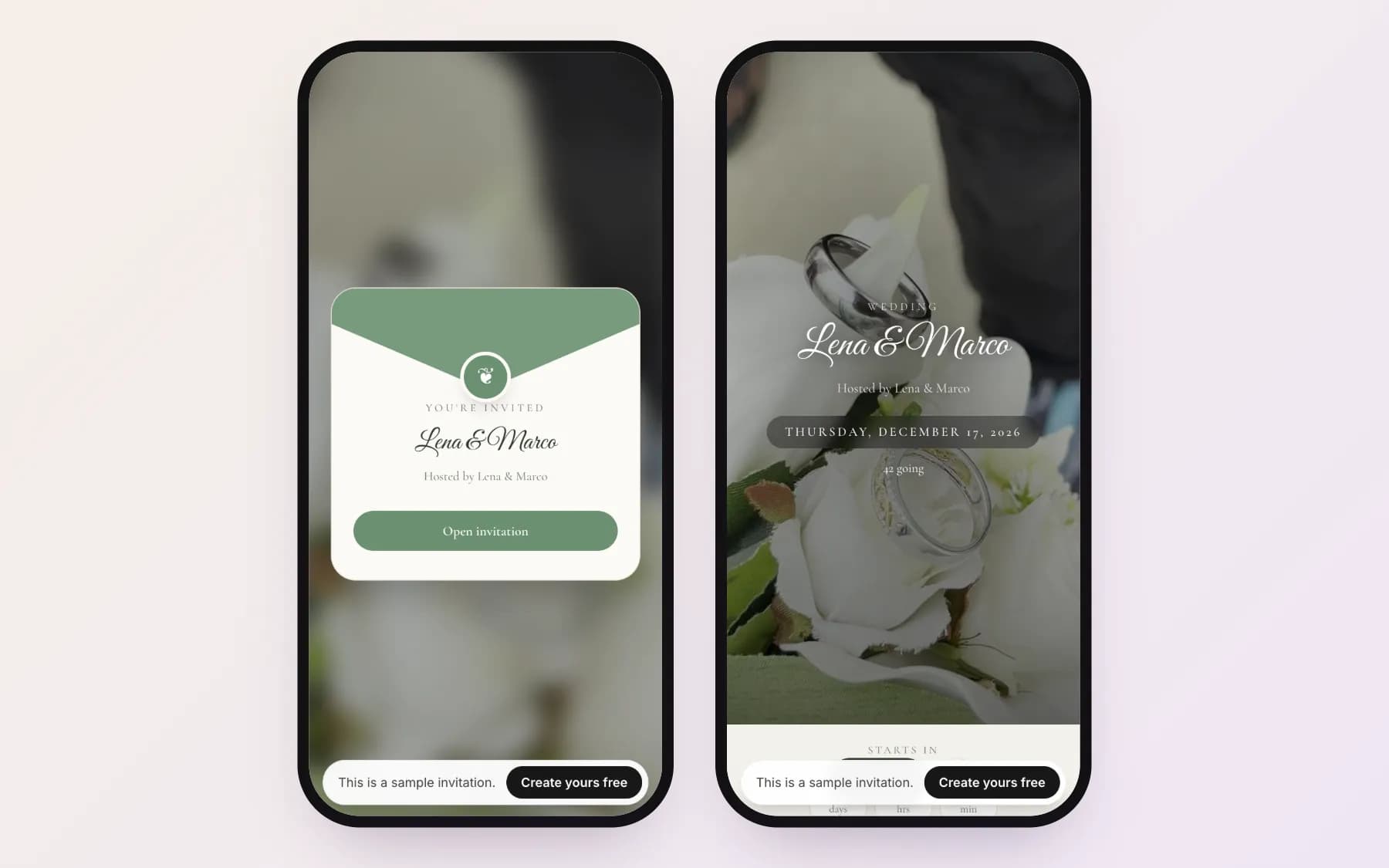
What to include on a digital wedding invitation
The essentials are the same as on paper. What changes is that a digital invitation can carry the practical details that never fit on a card.
- Who is hosting and who is getting married (full names, or the couple's first names if the tone is casual).
- Date and start time, shown in the time zone of the venue so guests abroad are not confused.
- Venue name and address with a map link.
- A short personal message — two or three sentences is plenty.
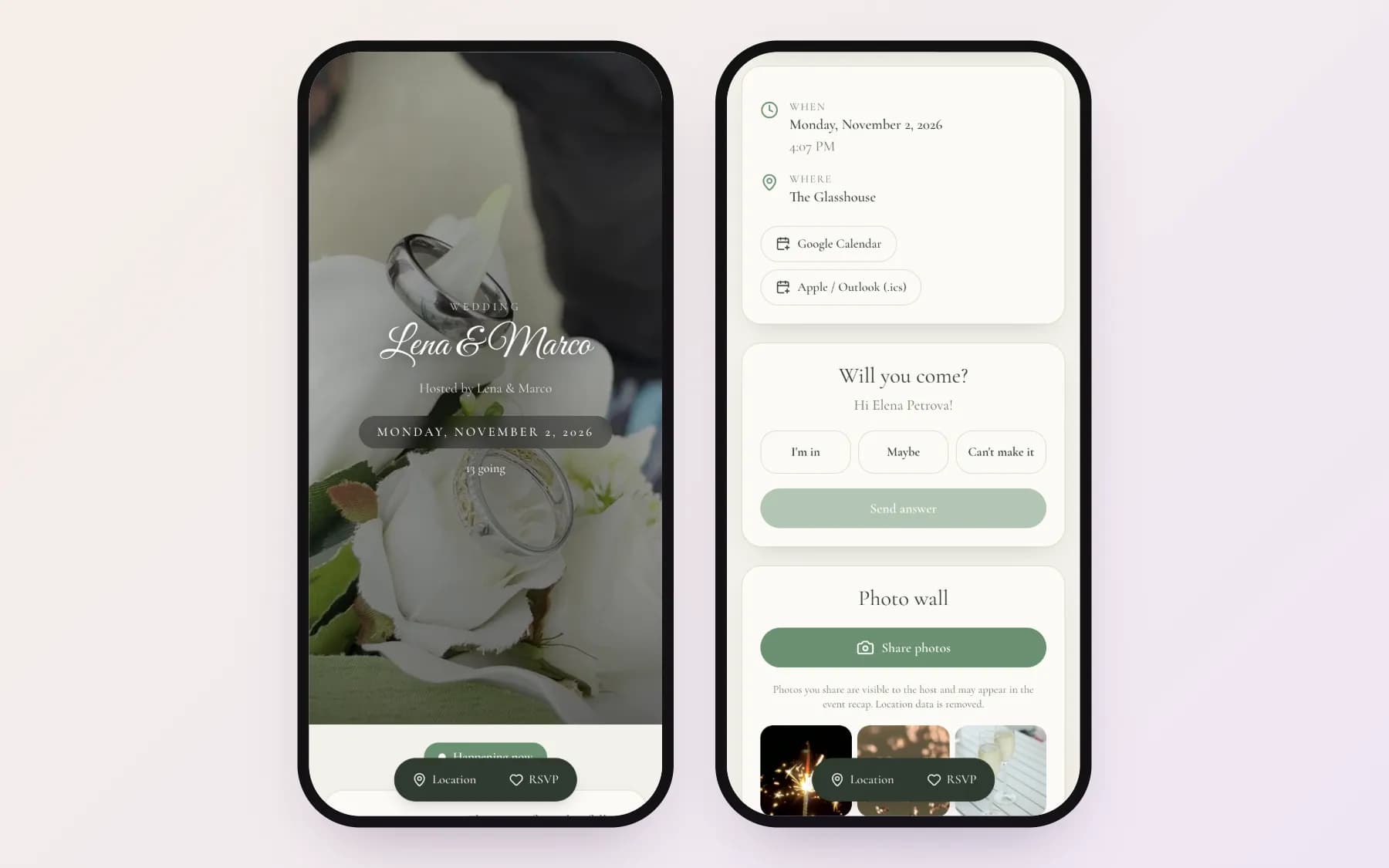
- An RSVP section: Going, Maybe or Not going, the number of people, and a note field for dietary needs or questions.
- Add-to-calendar buttons (Google Calendar, Apple and Outlook) so the date ends up in your guests' calendars.
- Optional: dress code, a schedule for the day, a countdown, background music and a guestbook for wishes.
How RSVPs work on a digital invitation
There are two ways to collect replies. With personal links, every guest (or household) gets a link that already knows who they are — the RSVP section greets them by name, and when they tap Going, the answer is written next to their name and the number of seats is counted. With an open link you post one URL in a group chat and each guest types their name when replying — easier to share, but you will need to match names yourself. If you are unsure what RSVP actually asks of guests, see what RSVP means and how to track replies.
Personal links are the better default for weddings, where the guest list is fixed and seats matter. Keep an open link for situations where you do not know everyone's name in advance, such as an after-party.
Sending the invitation without it looking like spam
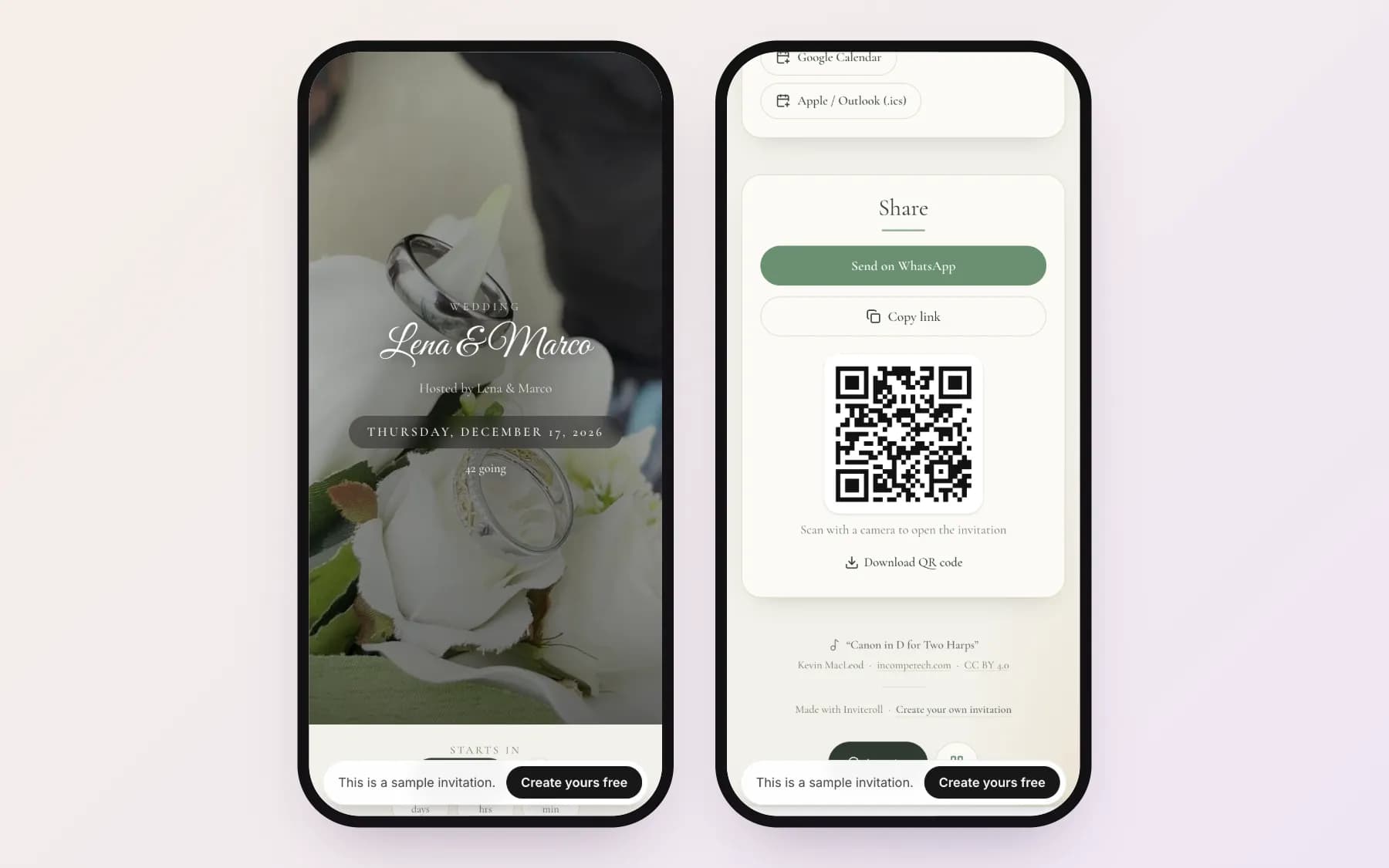
A bare link from an unknown number gets ignored. Send the invitation from your own phone, start with a one-line personal greeting, and let the link preview do the rest: a good invitation link shows the couple's names and a picture in WhatsApp and iMessage before anyone taps it.
If you invite a lot of people, send in small batches rather than all at once — it is easier to answer the questions that come back, and messaging apps are less likely to flag a burst of identical messages. Ready-to-send texts are in our guide to WhatsApp invitation messages.
Keeping track of replies and headcount
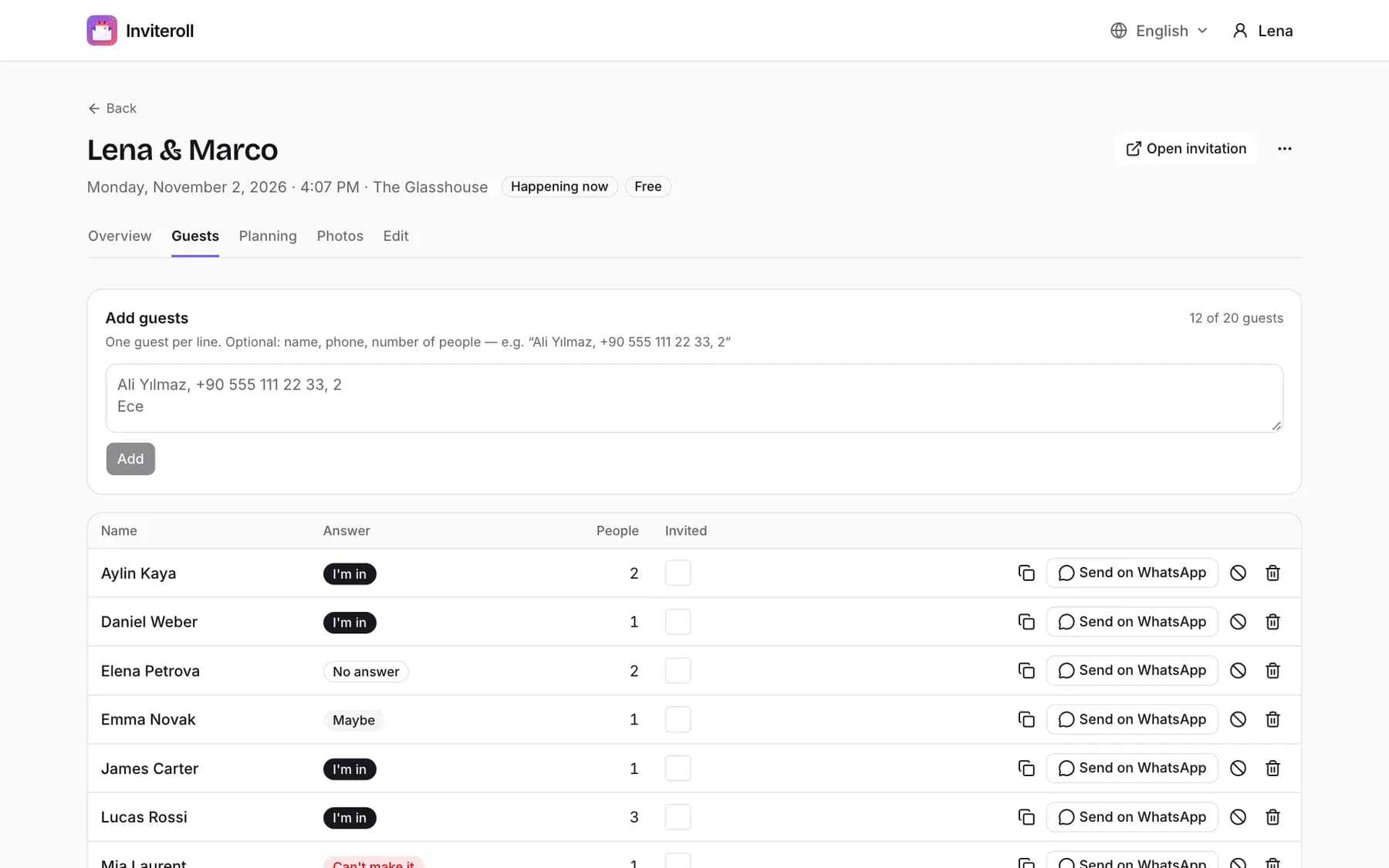
The point of a digital invitation is that the guest list updates itself. You should be able to see at a glance who is coming, who said maybe, who declined and who has not answered yet — and the total number of people, not just the number of replies.
Two weeks before the RSVP date you would put on a paper card, go through the guests who have not answered and send them a short personal message. Most missing replies are simply forgotten messages, not refusals.
How much a digital wedding invitation costs
Prices range from free templates you can send as an image to subscription services with paid designs. The useful question is what happens when your guest list grows: some tools charge per guest, some per design, some per month.
On Inviteroll, your first event is free with up to 20 guests and 5 shared photos. For a full wedding you upgrade that one event to Plus with a single payment — up to 300 guests and 300 photos, no watermark, nothing that renews. If you plan events often, the optional Pro subscription unlocks Plus on all of them.
How to create and send a digital wedding invitation
- 1
Create the event
Choose Wedding as the event type, enter the date, start time, time zone and venue. These details appear on the invitation and in the add-to-calendar buttons.
- 2
Pick a design and cover
Choose a template and a cover — a photo of the two of you or a ready-made video loop — and add your message, dress code and, if you like, music.
- 3
Add your guests
Paste or type the guest list with the number of people in each party. Every guest gets a personal link that records their reply.
- 4
Preview it on your phone
Open the invitation as a guest would. Check names, the time shown in the venue's time zone, and that the map link points to the right place.
- 5
Send the links
Send each personal link from your own phone with a short greeting, or tap Send on WhatsApp next to each guest.
- 6
Follow up
Watch replies arrive on the guest list and send a friendly reminder to anyone who has not answered a couple of weeks before you need final numbers.
Make your wedding invitation in a few minutes
Pick a design, add your guests and send personal links on WhatsApp. Your first event is free.
Create your invitationFrequently asked questions
Is it rude to send wedding invitations digitally?
No. Digital invitations are now common for weddings of every size. What matters is that the invitation is personal and well designed — address guests by name and avoid a generic group blast. For older relatives who prefer paper, a few printed cards alongside the digital ones work well.
Do guests need an app to RSVP?
Not with Inviteroll. Guests open the link in any browser, choose Going, Maybe or Not going and enter the number of people. No download and no account are needed.
When should I send a digital wedding invitation?
Six to eight weeks before the wedding is the usual window, or ten to twelve weeks for a destination wedding. Send a save the date four to six months in advance if many guests need to travel.
Can I change the invitation after sending it?
Yes. Because the invitation is a web page, edits such as a new start time or venue address appear the next time guests open their link. For important changes, also message your guests so they notice.
Can I send a digital invitation by WhatsApp?
Yes — WhatsApp is the most common way to send them. Send each guest their personal link with a short message; the link preview shows the invitation's title and cover image.
Is a digital wedding invitation free?
On Inviteroll, one event with up to 20 guests is free. A full wedding guest list uses a one-time Plus upgrade for that event; there is no subscription unless you choose Pro for multiple events.