 Inviteroll
What Does RSVP Mean? How to Ask for It, Reply and Track Responses
The meaning, the etiquette on both sides, and a simple way to get every answer back
Updated November 2, 2026 · 6 min read
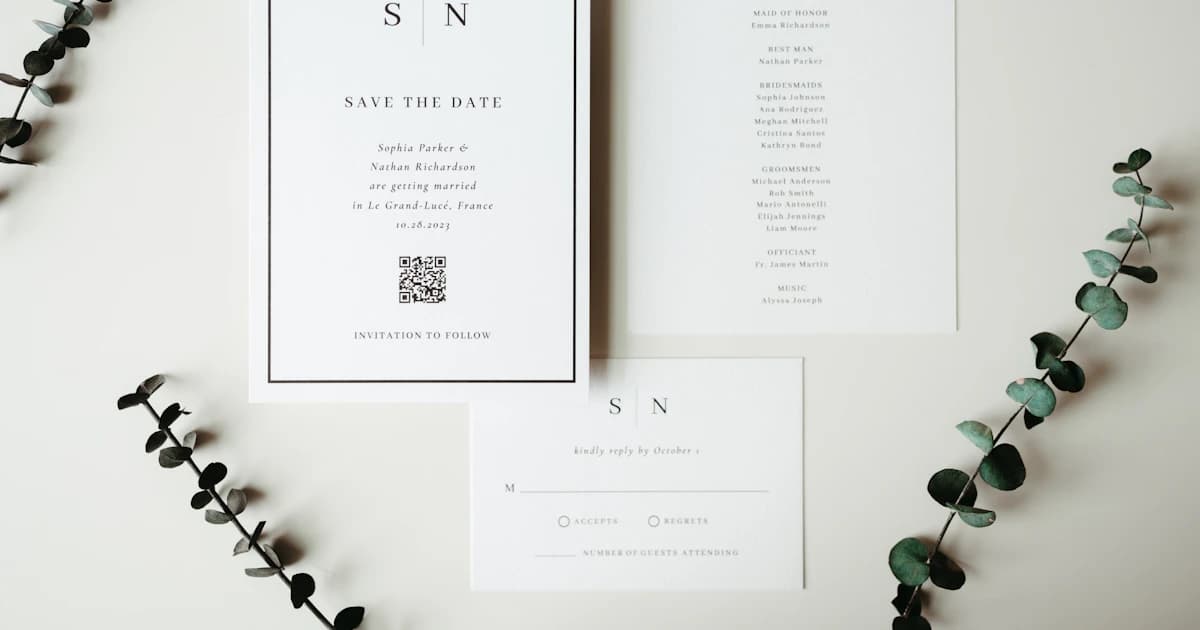
Short answer: RSVP stands for the French phrase "répondez s'il vous plaît", which means "please reply". On an invitation it asks every guest to tell the host whether they are coming — yes or no — usually by a certain date. It does not mean "reply only if you are coming"; that is a different instruction, "regrets only".
This guide explains what RSVP asks of guests, how to reply politely, how hosts can word an RSVP request, and how to keep track of answers without chasing everyone in a group chat.
What RSVP stands for
RSVP comes from the French "répondez s'il vous plaît" — literally "respond, if it pleases you", meaning "please reply". The phrase spread through English-speaking etiquette in the 19th century, when French was the language of formal invitations, and the abbreviation stuck.
Today RSVP is used for weddings, birthday parties, dinners, baby showers and business events alike. The meaning has not changed: the host is asking for an answer so they can plan food, seats and space.
RSVP vs. "regrets only" and other variations
A few related phrases appear on invitations. They ask for different things, and mixing them up is the most common reason hosts end up with wrong numbers.
- RSVP — reply either way: coming or not coming.
- Regrets only — reply only if you are not coming. No answer means you will be there.
- RSVP by [date] — reply before this date so the host can confirm numbers with the venue or caterer.
- Kindly reply / The favour of a reply is requested — formal ways of saying RSVP.
- RSVP to [name] — send your reply to this person, often a parent or the organiser.
How to reply to an RSVP
Reply as soon as you know, and use the method the invitation asks for — a reply card, a link, a phone number or a message. Keep it short and include the details the host needs.
Thank you for the invitation! We would love to come — two of us will be there. Looking forward to it!
Thank you so much for inviting me. Unfortunately I can't make it that weekend, but I hope you have a wonderful celebration.
Thank you for the invitation! I'm waiting to confirm a work trip — can I let you know by Friday?
Yes, we'll both be there! Just so you know, Tom is vegetarian. Thank you!
How to ask guests to RSVP
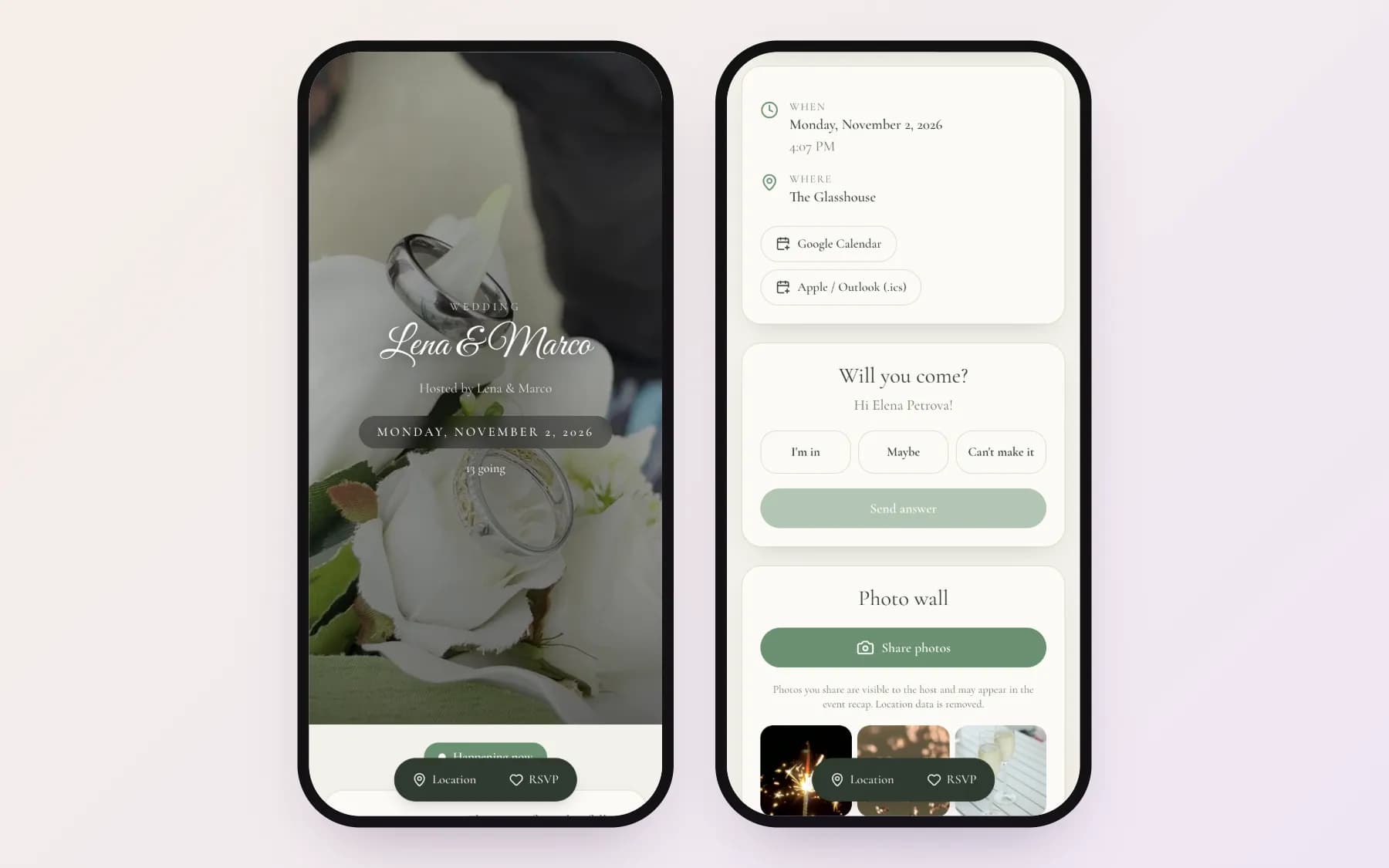
Put the RSVP line at the bottom of the invitation, after the date and place. Make it clear how to answer and, if you need final numbers by a certain day, write that date in the text. More formal and casual phrasings are in our wedding invitation wording examples.
The favour of a reply is requested by the first of May.
Please RSVP by May 1.
Let us know if you can make it!
Please reply below so we can save you a seat.
Please RSVP to Anna (Mia's mum) by Wednesday, and let us know about any allergies.
Why guests don't RSVP — and how to fix it
Missing replies are rarely rude. Usually the invitation was seen on a busy day, the reply card was lost, or replying needed too many steps. A few changes help a lot:
- Make replying instant: a link that opens in the browser with a Going / Maybe / Not going choice beats a card that must be posted back.
- Send each guest a personal link. When the page greets them by name, the invitation feels personal and the answer is matched automatically.
- Ask for the number of people in the same step, so you do not have to follow up separately.
- Allow "maybe". Guests who are unsure often stay silent if the only choices are yes and no.
- Remind people personally. A short individual message a week or two before you need numbers works better than a group announcement.
Tracking RSVPs without a spreadsheet
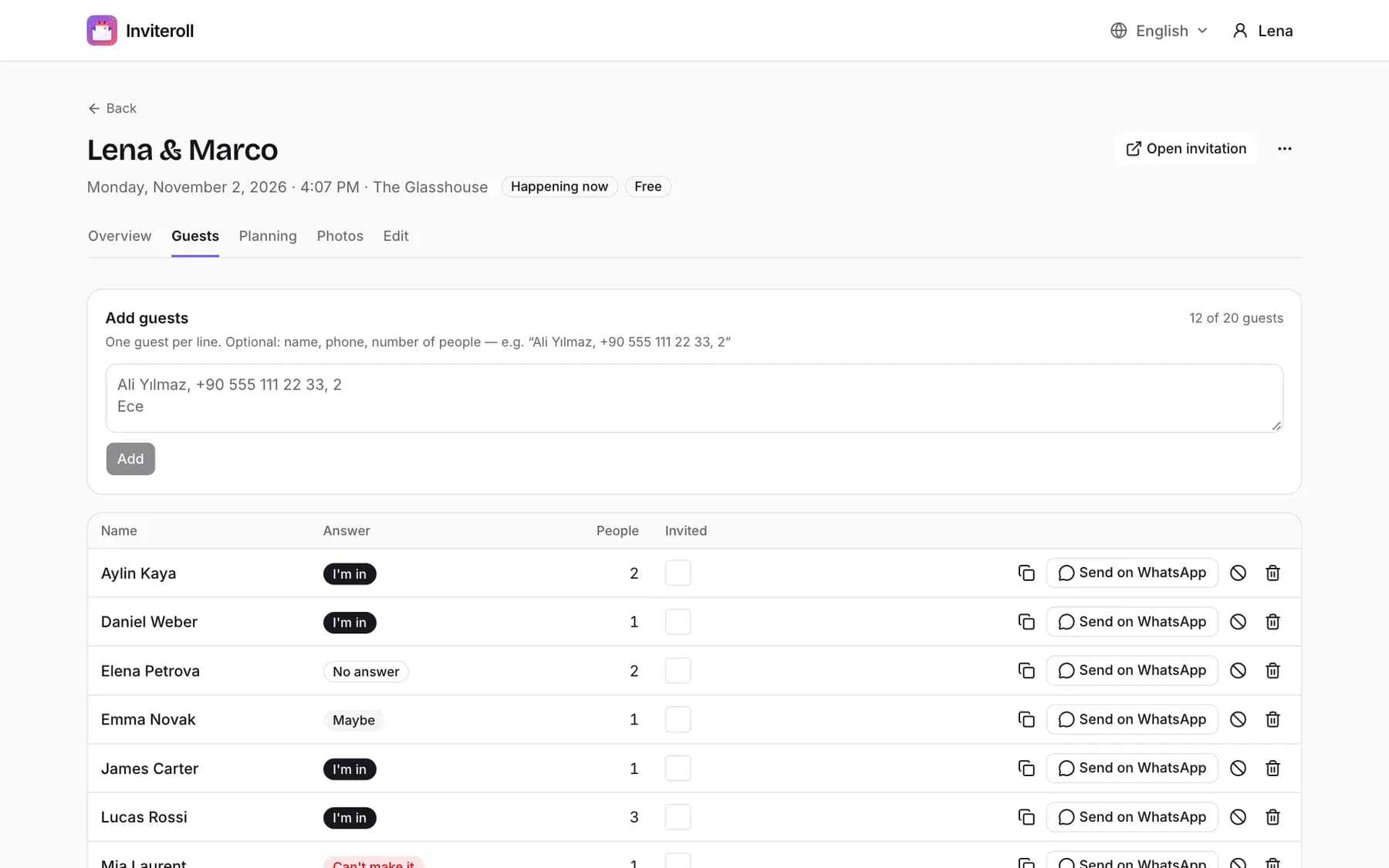
With a paper card or a group chat, hosts end up copying answers into a list by hand. A digital invitation does that automatically: each reply is written next to the guest's name with the number of people and any note they left, and the totals update as answers arrive.
On Inviteroll, the guest list shows who said yes, maybe or no and who has not answered yet. Guests can update their answer from the same link if plans change, and you can download the list as a CSV for the caterer or the seating plan. When you have your final numbers, you can switch RSVP off. To see how this fits into the whole invitation, read our guide on making a digital wedding invitation or open a sample invitation.
How to send an RSVP reminder
Send reminders individually and keep them light. People respond to a friendly nudge, not a deadline notice. For more texts you can send on WhatsApp, see our WhatsApp invitation messages.
Hi Sam! Just checking you saw our invitation for June 12 — we're finalising numbers this week. You can reply here:
Hi Aunt Carol! We'd love to know if you can join us at the wedding. Here's your invitation again — you can answer right on the page:
Hey! Party's on Saturday — are you in? One tap on the link is enough:
How to collect and track RSVPs for an event
- 1
Add an RSVP line
Ask guests to reply, and add the date if you need final numbers by a certain day.
- 2
Give every guest a personal link
Personal links match each answer to the right name and ask for the number of people at the same time.
- 3
Allow yes, maybe and no
Offering "maybe" turns silent guests into answers you can follow up on.
- 4
Watch the list fill up
Check totals by status and number of people instead of counting chat messages.
- 5
Remind the rest personally
Send a short individual message to guests who have not answered, a week or two before you need numbers.
Collect every RSVP on one list
Send personal invitation links and watch answers arrive with the headcount. No app needed for guests.
Create your invitationFrequently asked questions
What does RSVP stand for?
RSVP stands for "répondez s'il vous plaît", French for "please reply". It asks guests to tell the host whether they will attend.
Do I have to RSVP if I'm not going?
Yes. RSVP asks for a reply either way. Only invitations marked "regrets only" ask you to reply just when you cannot come.
Is it correct to say "please RSVP"?
Strictly speaking, "please RSVP" repeats "please", because RSVP already includes "s'il vous plaît". In everyday use it is widely accepted; formal invitations prefer "RSVP" alone or "Kindly reply".
How long before the event should the RSVP date be?
For weddings, ask for replies three to four weeks before the day so you can confirm numbers with the venue. For parties and dinners, a week before is usually enough.
Can guests change their RSVP?
With a digital invitation, yes: on Inviteroll guests open the same link, change their answer or the number of people, and your guest list updates automatically.