 Inviteroll
WhatsApp Invitation Messages: 30 Templates for Every Event
Copy-ready texts, the right way to send them and how to collect replies without a messy group chat
Updated November 2, 2026 · 7 min read
Short answer: a good WhatsApp invitation message has three parts — a personal greeting, one sentence saying what, when and where, and a link where guests can see the details and reply. Send it from your own phone to each guest (or household) individually, not as a bare link, and guests will open it and answer.
Below are copy-ready WhatsApp invitation messages for weddings, birthdays, kids' parties, baby showers, dinners, housewarmings and office events, plus follow-up and reminder texts. Each one has a copy button; change the names and the link and send.
How to write a WhatsApp invitation that gets a reply
WhatsApp is personal: people open messages from friends and family immediately and ignore anything that looks automated. The best invitation messages read like something you would type yourself.
- Greet the guest by name: "Hi Sarah!" beats "Hello everyone".
- Say what the occasion is and when, in one sentence.
- Add the link to the invitation, ideally one with an RSVP button.
- Tell guests what to do: "You can reply right on the page."
- Keep it under five lines. The details live on the invitation, not in the chat.
Wedding invitation messages
For a wedding, keep the message warm and a little more formal than a party invite. If you need help with the wording on the invitation itself, see our wedding invitation wording examples.
Hi Sarah! Daniel and I are getting married on June 12 and it would mean a lot to have you there. Here is your invitation with all the details — you can RSVP right on the page:
Dear Mr. and Mrs. Wilson, together with our families we are delighted to invite you to our wedding on Saturday, June 12. Please find your invitation and RSVP here:
Aunt Carol, the big day is set! Emily and I are getting married on June 12 in Napa. Here's your invitation — let us know if you and Uncle Pete can come:
Save the date! Emily and Daniel are getting married on June 12, 2027 in Santorini. The full invitation will follow — for now, here is the page with the date:
Birthday party messages
Birthday messages can be as playful as the party. For more ideas, see our birthday invitation wording.
Hey Jake! I'm celebrating my birthday on Saturday, October 9 at The Corner Bar from 8 PM. Would love to see you there — details and RSVP here:
Hi Linda! We're throwing a surprise 50th for Mark on September 11 — please keep it secret! Details and RSVP here:
Hi Emma! Mia is turning 5 on May 8 and would love Lily to come to her party (2 to 4 PM, Sunny Park). Here's the invitation — you can reply on the page:
Party at mine on Saturday! 🎉 8 PM, bring your dancing shoes. Tap to RSVP:
Baby shower, dinner, housewarming and office events
The same pattern works for every occasion: greeting, one-line what-when-where, link.
Hi Priya! We're having a baby shower for Anna on Sunday, April 18 at 2 PM. We'd love you to join us — details and RSVP here:
Hi Tom and Lisa! We'd love to have you over for dinner on Friday the 6th at 7:30. Here's the invitation — let us know if you can make it:
We've moved! Come see the new place on Saturday, March 13 from 4 PM. Here's the invitation with the address:
Hi Marco! Lena and I got engaged and we're celebrating with a small party on May 2. We'd love you to be there — details here:
Hi team! You're invited to our end-of-year dinner on Thursday, December 16 at 7 PM. Please reply on the invitation page by Friday so we can confirm the table:
Hi Grandma! I'm graduating on June 20 and we're having a small party afterwards. Here's the invitation — I'd love you to be there:
Personal links vs. one link for the group chat
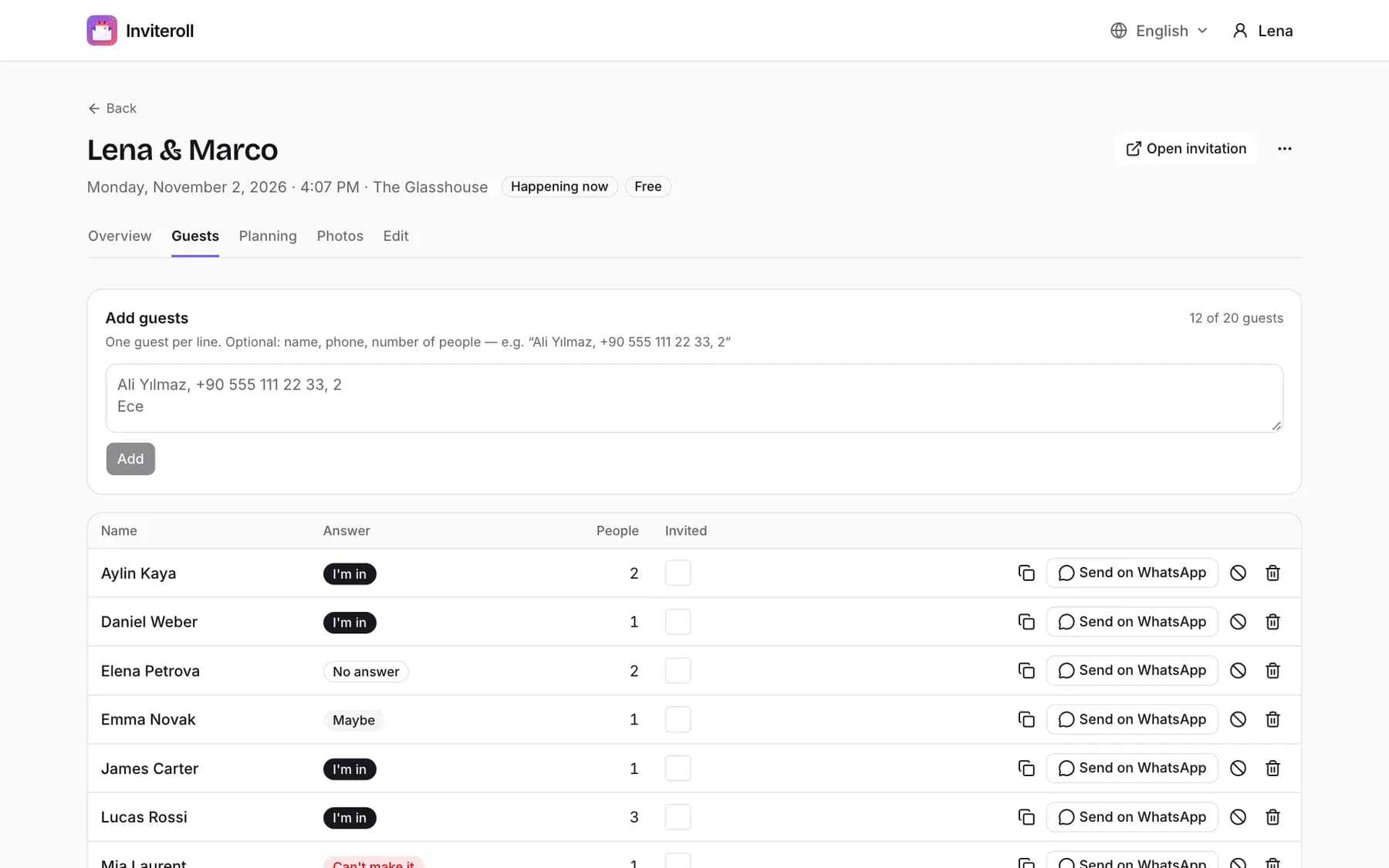
There are two ways to send an invitation link. A personal link is unique to one guest or household: the RSVP section greets them by name and their answer is written next to their name, with the number of people. On Inviteroll each guest on your list has a Send on WhatsApp button that opens WhatsApp with their personal link ready to go.
An open link is one URL for everyone, useful for a class group or a team chat. Guests type their name when they reply. It is quicker to share, but you will see new names appear on your list rather than ticking off the ones you invited — so for weddings and seated dinners, personal links are the safer default.
Why a link beats an image invitation
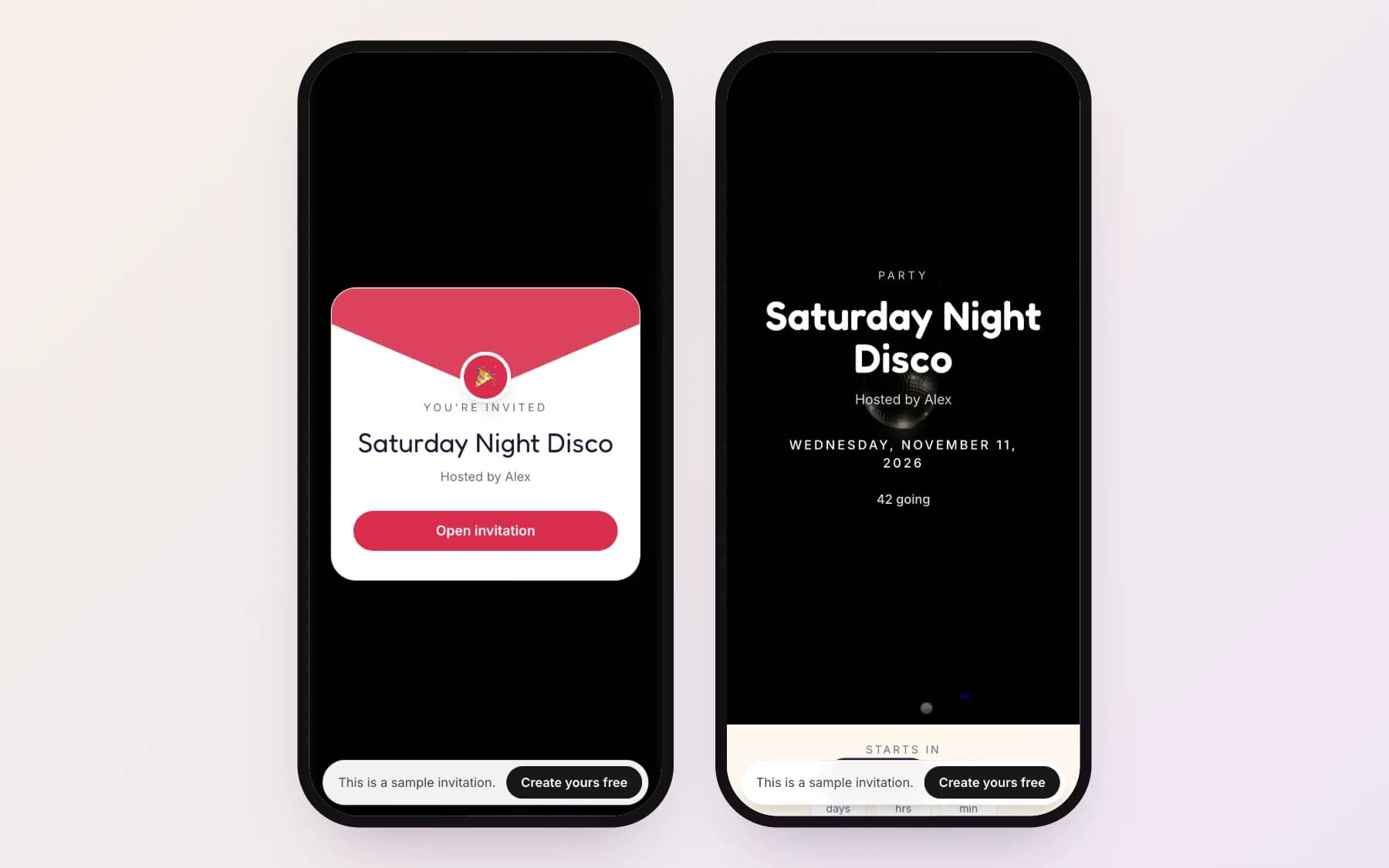
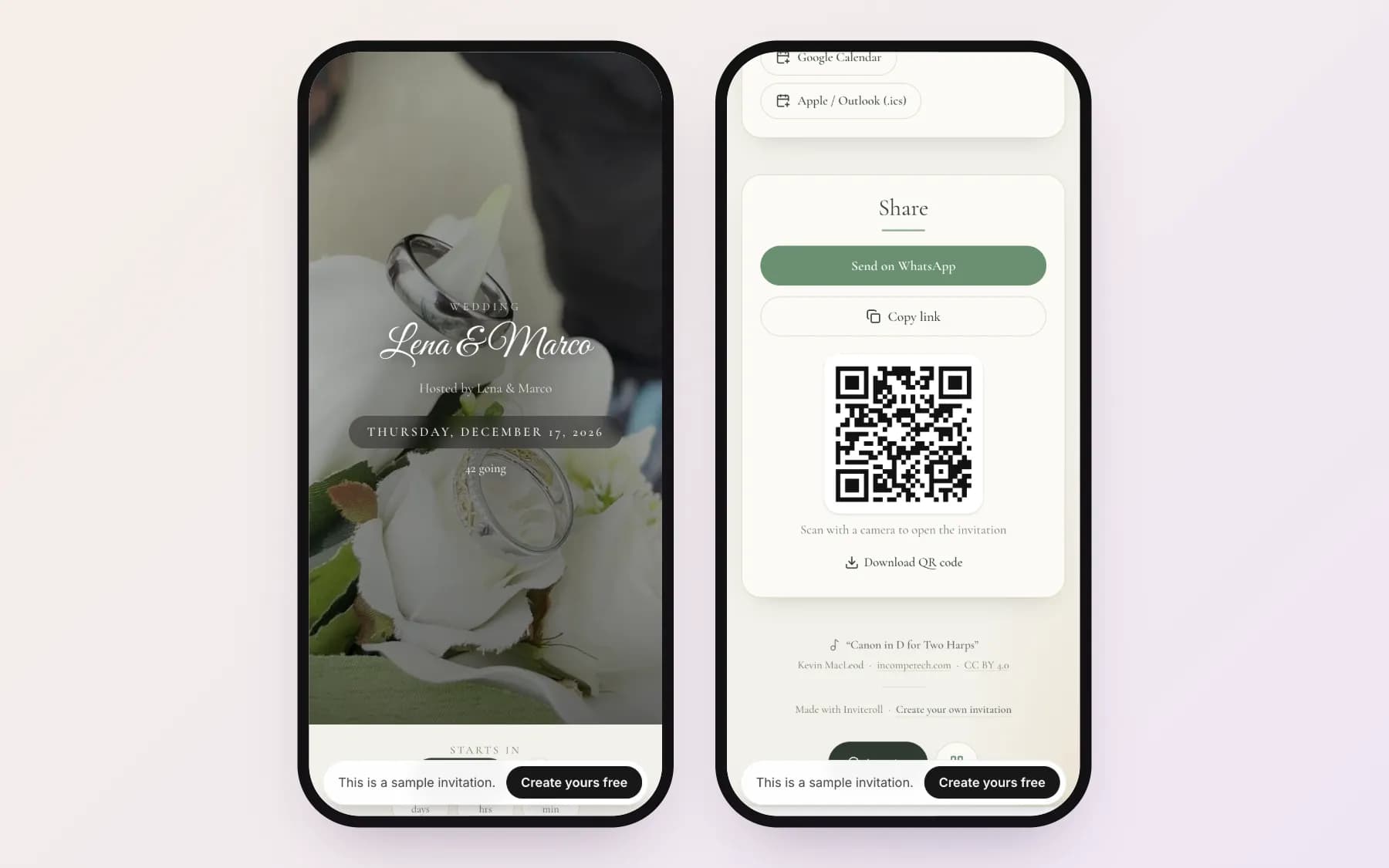
Many people still send a picture of an invitation card on WhatsApp. It looks nice, but guests answer in the chat, numbers get lost, and when something changes you have to send a new picture. A link to an invitation page solves all three: guests reply with one tap, the page holds the map, calendar button and schedule, and edits appear instantly. When you paste the link, WhatsApp shows a preview card with the invitation's title and cover, so it still looks like an invitation. Open a sample party invitation to see what guests get.
Reminder and follow-up messages
Send reminders one by one. A group message saying "some of you haven't replied" rarely works; a personal nudge almost always does. For more on getting answers back, see what RSVP means and how to track replies.
Hi Sam! Just making sure you saw the invitation for the 12th — we're confirming numbers this week. One tap on the link is enough:
See you tomorrow! 🎉 Starts at 7 PM — the address and map are on the invitation:
Quick update: we've moved the start time to 5 PM. The invitation is updated — same link as before:
Thank you so much for coming! If you took any photos, you can add them to the shared album on the invitation page:
How to send an invitation on WhatsApp
- 1
Create the invitation page
Add the event name, date, time, place and a short message, and choose a design.
- 2
Add your guests
Enter names and, optionally, phone numbers and the number of people in each party. Each guest gets a personal link.
- 3
Write a short message
Greeting, one sentence with what, when and where, and an invitation to reply on the page.
- 4
Send each link from your phone
Use the Send on WhatsApp button next to each guest, or copy the link into your chat.
- 5
Remind individually
A week or two before you need numbers, message the guests who have not replied.
Send invitations on WhatsApp that collect RSVPs for you
Create an invitation page, add guests and send personal links with one tap. Free for your first event.
Create your invitationFrequently asked questions
Is it OK to send an invitation on WhatsApp?
Yes. For birthdays, dinners and casual parties WhatsApp is now the most common way to invite people, and many couples send wedding invitations there too. Make the message personal and send it individually rather than as a group blast.
How do I send the same invitation to many people on WhatsApp?
Use a broadcast list or send personal links one by one. With Inviteroll each guest has a Send on WhatsApp button that opens the chat with their own link, so every answer is recorded under their name.
Can guests RSVP on WhatsApp?
They can reply in the chat, but answers get lost. A better way is to send a link where guests tap Going, Maybe or Not going in their browser — no app or account needed — and the answer goes straight to your guest list.
Why does my invitation link show a preview in WhatsApp?
WhatsApp reads the page's title and image to build a preview card. Inviteroll invitations include a preview with the event title and cover so the link looks like an invitation before guests tap it.
What should I write when sending an invitation link?
A greeting with the guest's name, one sentence about the event and date, and a line like "You can reply right on the page." Five lines or fewer is ideal.